
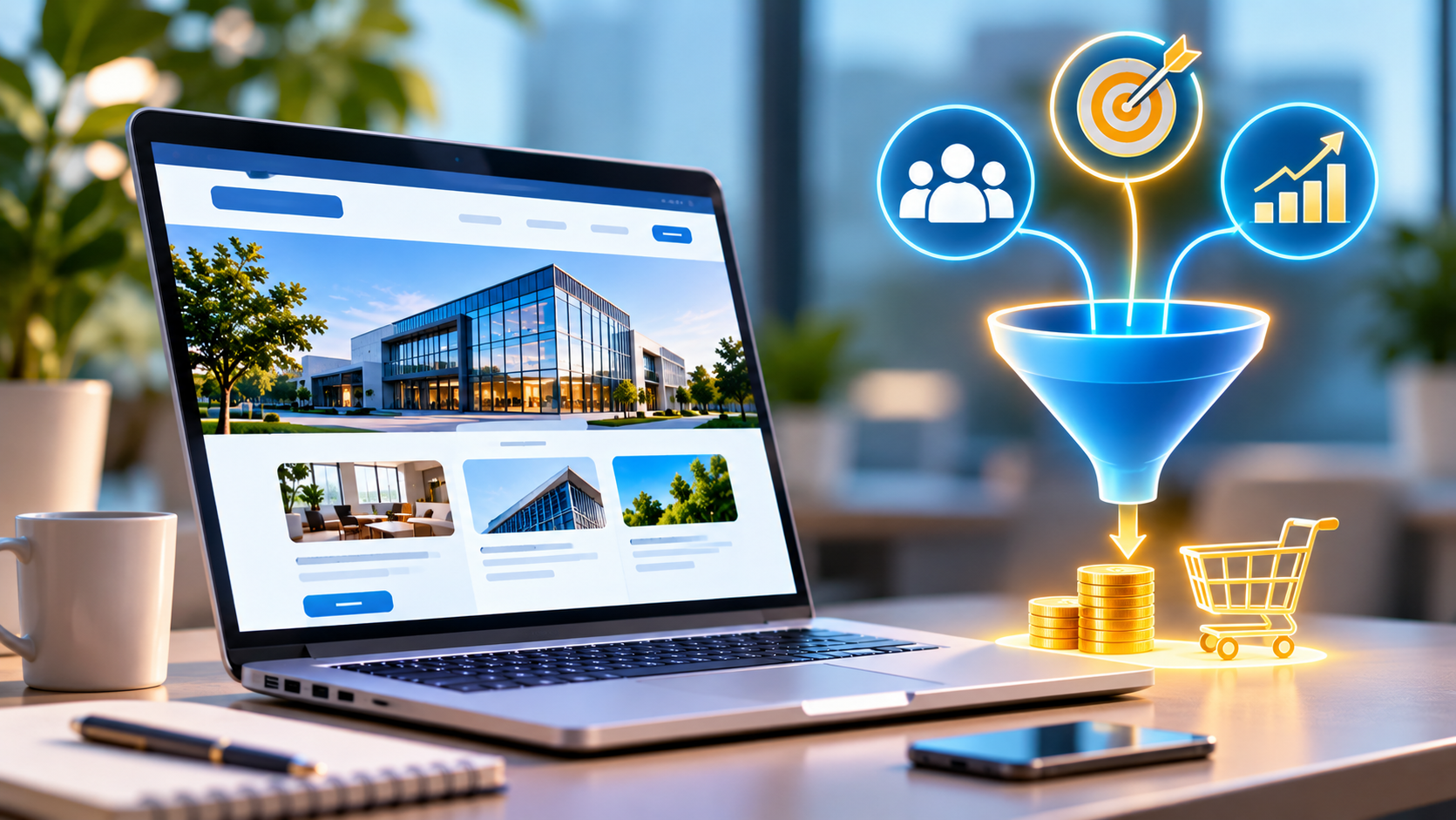
“Having a business website is an important step towards establishing your company's digital presence. However, simply launching a website does not guarantee customer enquiries or sales. Many businesses invest in website design and development but struggle to convert visitors into actual customers. The reason is often that their websites focus only on appearance instead of the complete customer journey. A successful business website should help visitors understand what your company offers, why they should choose your services, and how they can contact you. Every element, from the homepage layout to service descriptions and enquiry forms, should guide visitors towards a meaningful action. For example, imagine a business owner searching Google for a website development company. They visit several websites, compare services, check portfolios, and look for contact information. A website that clearly explains its services, demonstrates genuine project experience, and provides an easy enquiry process has a better opportunity to turn that visitor into a potential customer. This is where conversion-focused website development becomes important. Whether you operate a startup, small business, service company, or established organization, building a website around customer requirements can create more opportunities to generate qualified leads and support business growth.”
Introduction: Why Does Your Business Website Need to Convert Visitors Into Customers?
Having a business website is an important step towards establishing your company's digital presence. However, simply launching a website does not guarantee customer enquiries or sales. Many businesses invest in website design and development but struggle to convert visitors into actual customers. The reason is often that their websites focus only on appearance instead of the complete customer journey. A successful business website should help visitors understand what your company offers, why they should choose your services, and how they can contact you. Every element, from the homepage layout to service descriptions and enquiry forms, should guide visitors towards a meaningful action. For example, imagine a business owner searching Google for a website development company. They visit several websites, compare services, check portfolios, and look for contact information. A website that clearly explains its services, demonstrates genuine project experience, and provides an easy enquiry process has a better opportunity to turn that visitor into a potential customer. This is where conversion-focused website development becomes important. Whether you operate a startup, small business, service company, or established organization, building a website around customer requirements can create more opportunities to generate qualified leads and support business growth.
Understand Your Target Audience Before Developing Your Website
Before starting website development, understand who your potential customers are and what they expect from your business. A website designed without a clear target audience may contain generic content, unnecessary features, and confusing navigation. This can make it difficult for visitors to identify whether your services are suitable for their requirements. Start by identifying: Who are your ideal customers? What problems are they trying to solve? Which services or products are they searching for? What questions do they ask before making a purchase? What information do they need before contacting your company? What action do you want visitors to take? For example, a company providing software development services may target startups looking for custom applications, retailers planning e-commerce websites, and established businesses needing automation systems. Each audience has different requirements. Your website should communicate the relevant solutions clearly. Understanding customer intent helps developers and designers create a website structure, content strategy, and conversion journey that support actual business objectives.
Create a Professional Homepage That Communicates Your Business Clearly
The homepage is often the first page visitors explore when they discover your business. Within a few seconds, they should be able to understand what your company does and whether your services match their needs. A professional homepage should communicate three important things: What does your business offer? Who can benefit from your services? What should visitors do next? Start with a clear headline that explains your primary offering. Avoid vague statements that do not communicate your actual services. For example, a website development company could introduce its services through a message focused on professional business websites, custom development, and digital solutions. Your homepage should also include: A clear introduction to your company. Key products or services. Important business benefits. Genuine project examples or portfolio highlights. Customer testimonials, where available. A clear contact or enquiry button. Links to relevant service pages. Keep the layout organized and avoid overwhelming visitors with too much information. A well-planned homepage gives potential customers a clear starting point and encourages them to explore your business further.
Design a User-Friendly Website That Makes Navigation Easy
A visitor should never struggle to find basic information on your website. If your navigation is confusing, important services are difficult to locate, or contact information is hidden, visitors may leave without taking action. User experience (UX) focuses on making websites simple, intuitive, and convenient to use. A business website should have: A clear navigation menu. Well-organized service categories. Readable typography and consistent spacing. Easy-to-find contact details. Descriptive buttons and links. Consistent layouts across pages. A logical journey from homepage to enquiry. For example, a business offering website development, mobile applications, and custom software should present these as separate service pages rather than combining everything into one lengthy section. Visitors looking for a particular solution can then access the information they need without unnecessary navigation. Good user experience helps visitors understand your offerings and reduces friction during the decision-making process.
Develop Dedicated Service Pages to Attract the Right Customers
One common website development mistake is describing every service on a single page. Different customers search for different solutions. Someone looking for e-commerce website development may not be interested in a general software development description. Dedicated service pages allow your business to explain each offering in greater detail. For example, a development company may create separate pages for: Business website development. Custom website development. E-commerce website development. Custom software development. CRM application development. Mobile application development. Admin panel development. Website maintenance and support. Each service page should explain the customer's problem, the service offered, its relevant features, and how the customer can get started. Include a relevant call to action such as "Discuss Your Project" or "Request a Development Quote." Dedicated service pages also create opportunities to target specific search queries and improve the relevance of your website for different customer requirements.
Use Strong Calls to Action to Encourage Customer Enquiries
A call to action (CTA) tells visitors what they should do next. Even when visitors are interested in your services, they may leave if they cannot easily understand how to contact your business or request additional information. Use clear and action-oriented CTAs throughout your website. Examples include: Request a Free Consultation. Get a Development Quote. Discuss Your Project. Contact Our Team. Request a Custom Solution. Book a Consultation. Place these buttons in relevant locations, including the homepage, service pages, portfolio sections, and blog articles. Your CTA should also match the visitor's stage in the buying process. Someone researching a service may prefer to explore a detailed service page, while someone ready to proceed may want a quotation form. Avoid filling every section with competing buttons. Focus on one primary action per page and make it visually easy to identify. A clear conversion path helps interested visitors move from exploring your services to contacting your company.
Build Simple Enquiry Forms That Capture Potential Leads
Contact forms are one of the most useful features of a lead-generating business website. They allow visitors to share their requirements without needing to make an immediate phone call. However, complicated forms can discourage people from submitting enquiries. A well-designed enquiry form should request only the information needed for the initial conversation. Depending on your business, useful fields may include: Full Name. Email Address. Phone Number. Business Name. Required Service. Project Budget, if relevant. Project Requirements. For example, a website development enquiry form can allow visitors to select whether they need a business website, an e-commerce platform, or a custom web application. The backend should validate submitted information, process the enquiry securely, and store it in an appropriate database or CRM system. The business team can then review the enquiry and follow up with the potential customer. Use clear confirmation messages after successful submission and explain what the customer can expect next. A simple enquiry process makes it easier for interested visitors to start a conversation with your business.
Make Your Website Mobile-Friendly and Responsive
Many customers discover businesses through smartphones. If your website does not work properly on mobile devices, you may lose potential enquiries. Responsive website development allows the website layout to adapt to different screen sizes, including mobile phones, tablets, laptops, and desktop computers. A mobile-friendly website should provide: Readable text without unnecessary zooming. Navigation menus that work on smaller screens. Buttons that are easy to tap. Forms that are simple to complete. Images that fit different screen sizes. Convenient phone and WhatsApp contact options. For example, someone searching for a service provider on a smartphone should be able to view the services, understand the business, and submit an enquiry without difficulty. Mobile responsiveness also supports search visibility and contributes to a better overall user experience. When planning website development, mobile usability should be considered from the beginning rather than treated as an optional improvement after launch.
Optimize Your Website for Google Search and AI-Powered Search
Contact forms are one of the most useful features of a lead-generating business website. They allow visitors to share their requirements without needing to make an immediate phone call. However, complicated forms can discourage people from submitting enquiries. A well-designed enquiry form should request only the information needed for the initial conversation. Depending on your business, useful fields may include: Full Name. Email Address. Phone Number. Business Name. Required Service. Project Budget, if relevant. Project Requirements. For example, a website development enquiry form can allow visitors to select whether they need a business website, an e-commerce platform, or a custom web application. The backend should validate submitted information, process the enquiry securely, and store it in an appropriate database or CRM system. The business team can then review the enquiry and follow up with the potential customer. Use clear confirmation messages after successful submission and explain what the customer can expect next. A simple enquiry process makes it easier for interested visitors to start a conversation with your business.
Make Your Website Mobile-Friendly and Responsive
Many customers discover businesses through smartphones. If your website does not work properly on mobile devices, you may lose potential enquiries. Responsive website development allows the website layout to adapt to different screen sizes, including mobile phones, tablets, laptops, and desktop computers. A mobile-friendly website should provide: Readable text without unnecessary zooming. Navigation menus that work on smaller screens. Buttons that are easy to tap. Forms that are simple to complete. Images that fit different screen sizes. Convenient phone and WhatsApp contact options. For example, someone searching for a service provider on a smartphone should be able to view the services, understand the business, and submit an enquiry without difficulty. Mobile responsiveness also supports search visibility and contributes to a better overall user experience. When planning website development, mobile usability should be considered from the beginning rather than treated as an optional improvement after launch.
Optimize Your Website for Google Search and AI-Powered Search
A website can have an excellent design and useful features, but potential customers must still be able to discover it. Search Engine Optimization (SEO) helps improve your website's visibility for relevant search queries. Start by identifying the keywords your potential customers use when looking for your services. For example, a development company may target searches such as: Business website development services. Custom software development company. E-commerce website development. Professional website development company. Mobile application development services. Create useful pages around these topics and ensure that each page provides information relevant to the search intent. Technical SEO is equally important. Your website should have descriptive page titles, relevant meta descriptions, clear headings, readable URLs, internal links, mobile-friendly layouts, and fast-loading pages. Answer Engine Optimization (AEO) and Generative Engine Optimization (GEO) can also inform your content strategy. Structure useful information around genuine customer questions, provide direct answers, and explain technical or business topics clearly. For example, a service page can answer questions such as: How much does website development cost? What features are included in a business website? How long does website development take? Can a website include an admin panel? Is custom website development suitable for small businesses? There is no guaranteed method for ranking in Google or appearing in AI-generated answers. However, useful content, accessible pages, and sound technical development provide a strong foundation for online discoverability.
Showcase Your Portfolio and Genuine Customer Results
Potential customers often want to see examples of your previous work before choosing a development company. A portfolio helps demonstrate the type of projects your business can deliver and provides practical evidence of your capabilities. For every portfolio project, consider including: Project name and industry. Customer requirement or business challenge. Development approach. Technologies used. Important features implemented. Screenshots of the completed project. Measurable outcomes, where verified and available. For example, if your company developed a dynamic business website, explain how its admin panel helps manage content, enquiries, or other business information. If you created an e-commerce platform, highlight relevant features such as product management, order processing, and payment integration. Use authentic screenshots and project descriptions. Do not publish confidential customer information or claim results that cannot be verified. A well-presented portfolio gives visitors more information to evaluate your company and can help build confidence before they request a quotation.
Improve Website Loading Speed and Overall Performance
Website performance can affect whether visitors stay on your pages or leave before exploring your services. A slow website creates unnecessary delays and can make even a well-designed interface frustrating to use. Common causes of poor website performance include: Large, uncompressed images. Excessive JavaScript and CSS. Unnecessary third-party scripts. Poorly optimized database queries. Slow server responses. Inefficient caching configuration. Unoptimized fonts and media files. Developers can improve performance by compressing images, using modern image formats, minimizing unnecessary code, optimizing database queries, enabling suitable caching, and selecting appropriate hosting infrastructure. Google's Core Web Vitals provide useful measurements of real-world user experience, including loading performance, responsiveness, and visual stability. A technically optimized website provides a smoother browsing experience and supports the broader goal of converting relevant visitors into enquiries.
Integrate WhatsApp, CRM, and Other Business Tools
A lead-generating website should connect customer interactions with your business operations. For example, a visitor may submit an enquiry form, and the website can automatically send the information to a CRM system or notify the sales team. Useful integrations include: WhatsApp Integration: Allows visitors to initiate conversations with your business. CRM Integration: Stores enquiries, organizes customer details, and helps track follow-up activities. Email Notifications: Alerts the relevant team when a new enquiry is submitted. Appointment Booking: Allows potential customers to request consultations or meetings. Analytics Integration: Helps measure website traffic, enquiry submissions, and conversion performance. Payment Integration: Enables customers to make online payments when required by the business model. These integrations can reduce manual work and help businesses manage incoming enquiries more efficiently. The specific integrations should be selected based on your business requirements rather than adding unnecessary features.
Use Website Analytics to Understand Visitor Behaviour
Building a website is not the final step. You should regularly evaluate how visitors interact with your pages and whether the website is generating meaningful enquiries. Analytics tools help businesses understand where visitors come from, which pages they view, and what actions they complete. Important metrics include: Total website visitors. Organic search traffic. Most visited service pages. Enquiry form submissions. Phone and WhatsApp interactions. Landing page conversion rates. Qualified leads generated. For example, if your website receives visitors but very few people submit enquiries, you may need to review your service descriptions, contact buttons, form length, or overall user experience. Google Analytics can help measure website activity, while Google Search Console provides information about search performance and indexing. Conversion tracking should be configured carefully so that important business actions can be measured without collecting unnecessary personal information. Regular analysis helps businesses identify opportunities to improve their website and make more informed development decisions.
How Much Should You Invest in a Business Website?
The cost of developing a business website depends on its features, design requirements, technology stack, and overall complexity. A basic business website may require a homepage, about page, service pages, and contact form. A more advanced project may include dynamic content management, an admin panel, CRM integration, user authentication, payment gateways, or custom application functionality. Important factors affecting development cost include: Number of pages and complexity of layouts. Custom UI/UX design requirements. Frontend and backend functionality. Database structure and integration. Third-party API integrations. E-commerce and payment features. Security and performance requirements. Maintenance and support expectations. Instead of choosing a website based only on the lowest quoted price, consider what the development solution includes and how well it supports your business objectives. A properly planned website should balance development cost, required functionality, usability, and future scalability. Requesting a project-specific quotation helps you understand the investment required for your actual business needs.
Common Mistakes That Prevent Business Websites From Generating Customers
Several website development mistakes can reduce conversion opportunities. Unclear Messaging: Visitors cannot understand what your company offers or who your services are intended for. Missing Calls to Action: Interested visitors do not know how to request a quotation or contact your team. Complicated Forms: Too many unnecessary fields discourage enquiry submissions. Poor Mobile Experience: Visitors struggle to navigate the website using smartphones. Weak Service Pages: Generic descriptions do not explain the value or functionality of your offerings. No Genuine Portfolio: Potential customers have limited information to evaluate your development experience. Slow Website Performance: Visitors experience unnecessary loading delays. No Lead Follow-Up Process: Enquiries arrive, but they are not reviewed or handled promptly. Avoiding these mistakes helps create a website that supports customer discovery, trust, and enquiries more effectively.
Why Choose Seyfert Infotech for Your Business Website Development?
A business website should be developed around your company's objectives, target customers, and required functionality. Seyfert Infotech can discuss website and software development requirements for businesses looking to build a professional digital presence or improve an existing platform. Depending on your project needs, development solutions may include: Business Website Development: Professional websites with organized service pages, responsive layouts, and clear enquiry options. Dynamic Website Development: Database-driven websites with content management and administrative functionality. E-Commerce Website Development: Online shopping platforms with product management, order processing, and relevant payment integrations. Custom Software Development: Applications designed around specific business operations and workflows. Admin Panel Development: Administrative interfaces for managing website content, enquiries, and application information. API Integration: Connecting websites and applications with relevant external systems and services. The development process should begin with understanding your business requirements, defining the necessary features, selecting suitable technologies, and planning for performance, security, and future maintenance. If you are planning a new website or upgrading an existing one, discuss your requirements with Seyfert Infotech. Ready to build a business website that supports your sales goals? Contact Seyfert Infotech to discuss your project requirements and request a development quotation.
Conclusion: Build a Website That Works Towards Your Business Goals
A successful business website should do more than provide company information. It should attract relevant visitors, communicate your services clearly, establish trust, and make it easy for potential customers to contact your business. Achieving this requires a combination of professional design, responsive development, useful content, SEO-friendly structure, optimized performance, and convenient enquiry functionality. Businesses should also evaluate website performance regularly, understand visitor behaviour, and improve pages based on actual enquiry data. Whether you need a business website, an e-commerce platform, or a custom software application, the right development approach can help establish a stronger digital foundation for your company. Build a website around your customers, your services, and your business objectives. Give every visitor a clear reason to explore your offerings and an easy way to start a conversation.